
Varenummer: 9H.Y01LA.TBE

Mere information
-
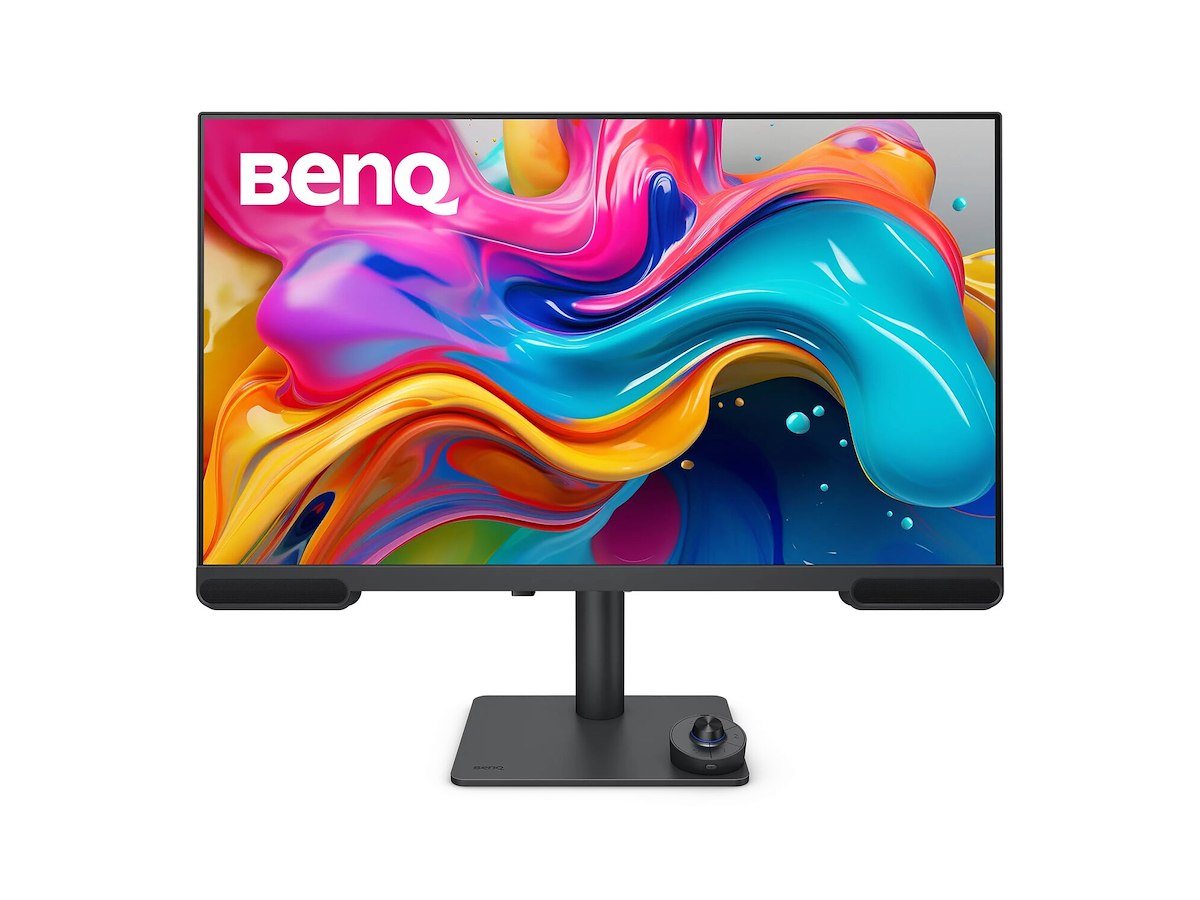
PV3200U | 32" 4K BenQ Monitor for Video Editing
Edit with Precision. Hear with Clarity.
No Surprises After Uploading
From the first edit to the final upload, your colors stay true, guided by accurate color and proper gamut that let you create with confidence and avoid over-editing.
95% P3 | 100% Rec.709 | 100% sRGB
See It Right, Share It Right
PV3200U delivers 100% Rec.709 and 95% P3 coverage, ensuring the right colors from editing to publishing. With the Wireless Hotkey Puck, you can switch color modes with a single tap, accurately preview your content before exporting, and avoid unexpected color shifts on YouTube, Vimeo, and other video platforms. What you see is what your audience gets.
iDevice Color Sync
Mobile Devices Color Preview
Take it a step further by previewing how colors will appear on mobile devices like iPhone and iPad before exporting. Ensure consistent visuals across screens.
iPad Color Preview
Open iDevice Color Sync, choose iPad, and preview video colors instantly.
iPhone Color Preview
Open iDevice Color Sync, select iPhone, and see how your video colors appear on screen.
Certified by Renowned Third-Party Authorities
Calman Verified
Every BenQ video editing monitor is fully Calman Verified. Creative professionals demand excellence, and BenQ delivers.
Colors You Can Trust
BenQ AQCOLOR ensures 'Accurate Reproduction,' delivering out-of-the-box color precision with Delta E≤2, corner-to-corner uniformity, and a factory calibration report. All features are rigorously tested for consistency, providing all types of creators with unparalleled precision and total color confidence.
Industry Standard
Experience broad coverage of in-demand color spaces, carefully calibrated for color temperature, gamma, and brightness.
Uniform Visuals
Work with consistent color uniformity from edge to edge on a single monitor or across multiple monitors.
Accuracy Guarantee
The assurance that your monitor accurately represents your intended colors, with third-party validation for precise reproduction.
Crisp Voices. Clear Mix. No Extra Gear.
Studio Mode
Let Your Audience Hear It Right
Designed for audio-focused video creators, Studio Mode delivers unprocessed true-to-source sound, preserving every voice, background sound, and effect without over-editing or heavy tuning. Your audience hears the true clarity of your work.
2.1ch Frequency Separation
Clear Voices, Balanced Bass
Edit with confidence, no more ear fatigue. Built-in dual 2W mid-high speakers and a dedicated 5W woofer deliver balanced sound. Unlike typical PC speakers, clear vocals stand out without muddy bass. Even without headphones, you can trust what you hear.
Get Projects Done Faster
Spend less time worrying about your gear and display, and focus on what truly matters.
BenQ Display Pilot 2
Customize Your Workspace, Stay in Control
With BenQ’s free Display Pilot 2 software you can easily organize essential functions like ICCsync, Color Modes, and Desktop Partition for a seamless editing experience. Keep your workflow efficient by tailoring the interface to your needs—less time navigating menus, more time creating.
M-book Mode: Mac Device Color Matching
Exclusive M-book mode ensures a perfect match with Mac® and MacBook® Pro colors. *Mac® and MacBook® are trademarks of Apple Inc.
ICCsync: Ensures Color Consistency
ICCsync automatically syncs ICC profiles between your Mac and BenQ monitor when switching color modes.
iKeyboard Control: Integrated MacBook Controls
Effortlessly adjust display brightness and volume using your Mac® keyboard. *Only applicable to Mac devices using Display Pilot 2 software.
Wireless Hotkey Puck
Your Workflow Assistant
BenQ Hotkey Puck simplifies monitor control and integrates with Display Pilot 2 for effortless customization. You can easily assign shortcut functions and switch Color Modes or Audio Modes instantly. The rotating dial provides precise control over brightness, contrast, and volume—no menu browsing needed.
Mac & Windows Device Compatibility
All-in-One USB-C Connection
Quickly transfer data and deliver power up to 65W. Your Thunderbolt 3/4 devices are compatible with USB-C on BenQ displays, ensuring consistent and seamless work efficiency.
Fully Ergonomic Built-In Stand
With a variety of tilt, swivel, and pivot controls, whether you’re sitting or standing for hours of video editing, there’s always a perfect angle to keep you focused and comfortable.
From Solo Edits to Team Collabs
For video creators, color consistency is everything. Whether you're editing solo, working across dual monitors, or collaborating in a small studio setup, BenQ ensures cross-display color accuracy so your content looks the same across screens.
Achieve More Precise Color Matching with a Calibrator
Calibrate your monitor effortlessly with BenQ's exclusive and free calibration software, Palette Master Ultimate. Follow visual menus and clear prompts for software calibration that meets international standards. -
Display Skærm diagonal 80 cm (31.5") Skærmopløsning 3840 x 2160 pixel Naturligt aspektforhold 16:9 Skærmteknologi LCD Berøringsskærm Ingen HD-type 4K Ultra HD Paneltype IPS Responstid 5 ms Skærm form Flad Kontrastforhold (typisk) 1000:1 Maksimal opdateringshastighed 60 Hz Vis antal farver 1,07 milliarder farver LED-baggrundsbelysning Ja Skærmens lysstyrke (spidsbelastning) 400 cd/m² Skærmens lysstyrke (typisk) 350 cd/m² Synsvinkel, horisontal 178° Synsvinkel, vertikal 178° Skærm diagonal (metrisk) 80 cm High Dynamic Range (HDR) understøttet Ja HDR-teknologi (High Dynamic Range) DisplayHDR 400, High Dynamic Range 10 (HDR10) Farveområde 100% sRGB-dækning (typisk) 100% Præstation Flimmerfri teknologi Ja Lav Blue Light teknologi Ja Multimedie Indbyggede højttaler(e) Ja Antal højttalere 2 Udgangseffekt (RMS) 4 W Design Markedspositionering Grafisk design Produktfarve Sort Porte & Grænseflader Indbygget USB-hub Ja HDMI Ja Udgang til hovedtelefoner Ja Antal upstream-porte 3 Antal downstream-porte 1 Antal USB type-C downstream-porte 1 USB type-C DisplayPort alternativ tilstand Ja USB strømforsyning Ja USB strømforsyning op til 65 W Antal HDMI-porte 3 HDMI-version 2.0 HDCP Ja HDCP-version 2.2 Ergonomisk VESA montering Ja Højdejustering Ja Panel montering grænseflade 100 x 100 mm Justerbar højde (maks.) 11,5 cm Akse Ja Pivot vinkel 0 - 90° Drejelig Ja Drejevinkel område -15 - 15° Hældningsindstilling Ja Hældningsvinkelområde -5 - 20° OSD-sprog Flere Antal OSD sprog 21 Strømstyring Energieffektivitetsklasse (SDR) G Energieffektivitetsklasse (HDR) G Energiforbrug (SDR) pr. 1000 timer 49 kWh Energiforbrug (HDR) pr. 1000 timer 55 kWh Strømforbrug (typisk) 50 W Strømforbrug (standby) 0,5 W Strømforbrug (maks.) 180 W Vekselstrømsindgangsspænding 100 - 240 V Energieffektivitetsskala A til G Vægt & størrelser Bredde (med stativ) 714,5 mm Dybde (med stativ) 210,3 mm Højde (med stativ) 280,2 mm Vægt (med stativ) 8,73 kg Bredde (uden stativ) 714,5 mm Dybde (uden stativ) 67,8 mm Højde (uden stativ) 443,9 mm Vægt (uden stativ) 6 kg Emballage indhold Stativ inkluderet Ja Hurtig start guide Ja Andre funktioner Certificering TUV