
Varenummer: INF5522AG

Mere information
-
Interactive Whiteboard
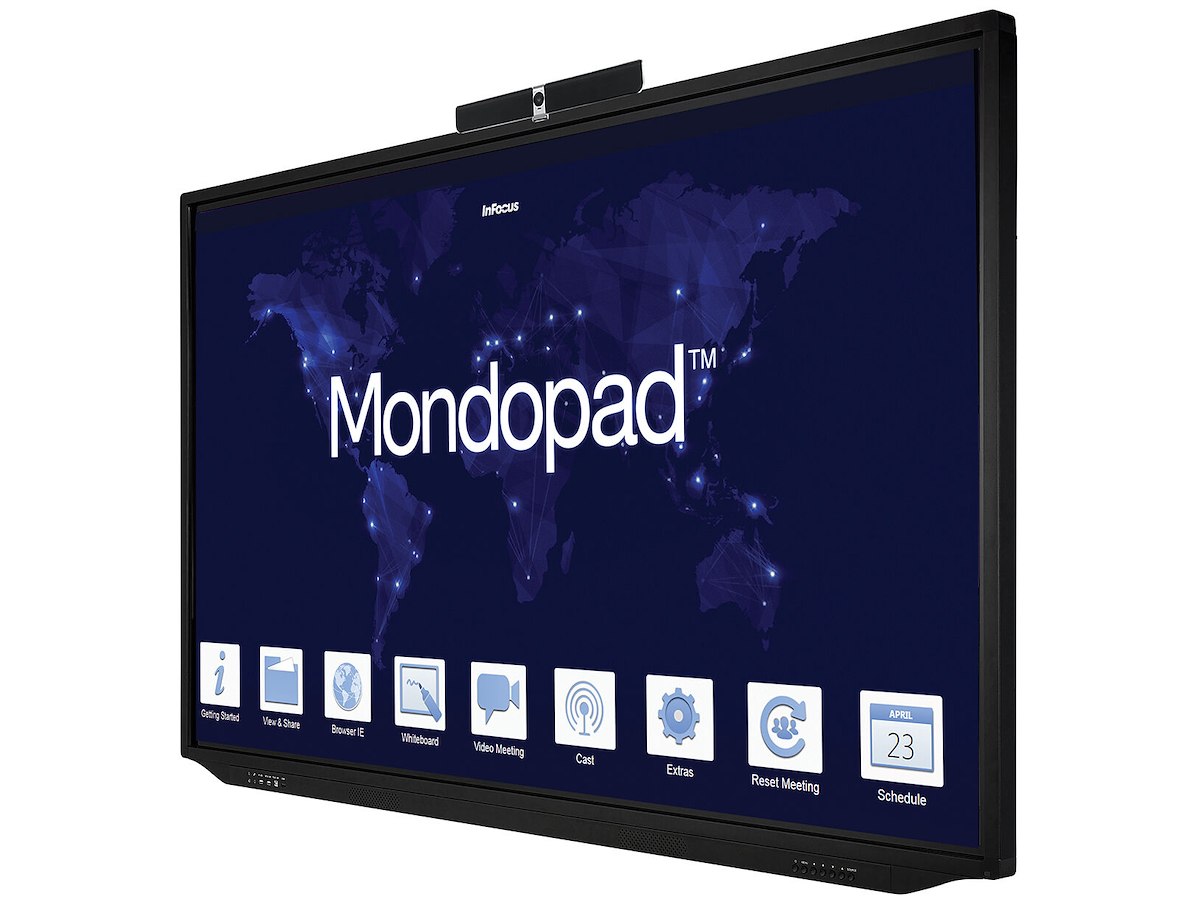
Brainstorm, capture, save and share your ideas on an interactive whiteboard without borders or barriers. Use a complete collection of digital pens, shapes, lines, and colors on a canvas up to 100 display screens in size, paste and annotate backgrounds and images, then email directly from the Mondopad.
View, Annotate, and Share
Take notes on anything you’re presenting, save and email your changes, and never lose an idea again. Mark-up documents, images, web pages, or videos, and easily manage common or secure files through email, office network, USB drives, and cloud-based services like Dropbox.
Brainstorm & Share Ideas Through the Cloud
Mondopad supports ConX Whiteboard, which enables you and co-workers in other locations to interact and share ideas on a Mondopad whiteboard, at the same time. Using your Mondopad and your ConX Cloud login credentials, join a ConX Whiteboard session and just start drawing. Everyone can see the same whiteboard screen, and each participant can draw or write in a different color, or insert text or images.
If you’re already on a ConX Cloud video call, hit “join” and the ConX Whiteboard appears instantly. Now you can see and hear co-workers while sharing and editing your ideas at the same time. ConX Whiteboard works in conjunction with ConX Cloud, or on its own with any other video.
Video Connect to the World
Instantly bring people together from anywhere in the world to visually collaborate on the same content and do better work in less time.
InFocus video calling service is included for the first year, so you can make and receive video calls right away–or add your own video conferencing client onto Mondopad as you would on any other PC.
Bring groups of people together with ConX Cloud–our simple, affordable cloud-based video collaboration service. Users can connect from any device, anywhere. Subscriptions available ranging from 3 seats up to 100 virtual meeting rooms, each with 50 seats.
Bring Your Own Device
Connect and share content securely from PCs, Macs, tablets or smartphones to make meetings more collaborative, productive and sustainable. Cast your device’s screen to the Mondopad, view up to four AirPlay or Chrome casts simultaneously, then control the Mondopad with your device from anywhere in the room. See what’s being presented from your device, or make video calls to your Mondopad from a PC, Mac, tablet or smartphone. -
Display Skærm diagonal 139,7 cm (55") Skærmteknologi LED Skærmopløsning 1920 x 1080 pixel Skærmens lysstyrke 350 cd/m² HD-type Fuld HD Berøringsskærm Ja Multi-touch Ja Responstid 9 ms Kontrastforhold (typisk) 1200:1 Synsvinkel, horisontal 178° Synsvinkel, vertikal 178° Pixel pitch 0,67 x 0,67 mm Porte & Grænseflader Antal HDMI-porte 5 DVI-port Ingen USB-port Ja VGA (D-Sub) indgangsporte 1 Antal USB-porte 7 Ethernet LAN-porte (RJ-45) 2 Lyd Indbyggede højttaler(e) Ja Antal indbyggede højttalere 2 Udgangseffekt (RMS) 20 W Design Produktdesign Digital fladpaneldisplay Produktfarve Sort Understøttet placering Indendørs VESA montering Ja Panel montering grænseflade 300 x 300 mm Strømstyring Vekselstrømsindgangsspænding 100 - 240 V Vekselstrømsindgangsfrekvens 50 - 60 Hz Computersystem Computersystem Ja Processorserie Intel® Core™ i7 Processorgeneration 6th gen Intel® Core™ i7 Processormodel i7-6500U Intern hukommelse 8 GB Intern lagerkapacitet 256 GB Operativsystem installeret Windows 10 Pro Vægt & størrelser Bredde 1290,3 mm Dybde 106,7 mm Højde 782,3 mm Vægt 38,1 kg Emballage indhold Fjernbetjening inkluderet Ja Kabler inkluderet HDMI, USB Driftsbetingelser Driftstemperatur (T-T) 5 - 35 °C Driftshøjde 0 - 3048 m Netværk Ethernet LAN Ja Wi-Fi Ja Ethernet LAN-datahastigheder 10,100,1000 Mbit/s Andre funktioner Hurtig start guide Ja