

Mere information
-
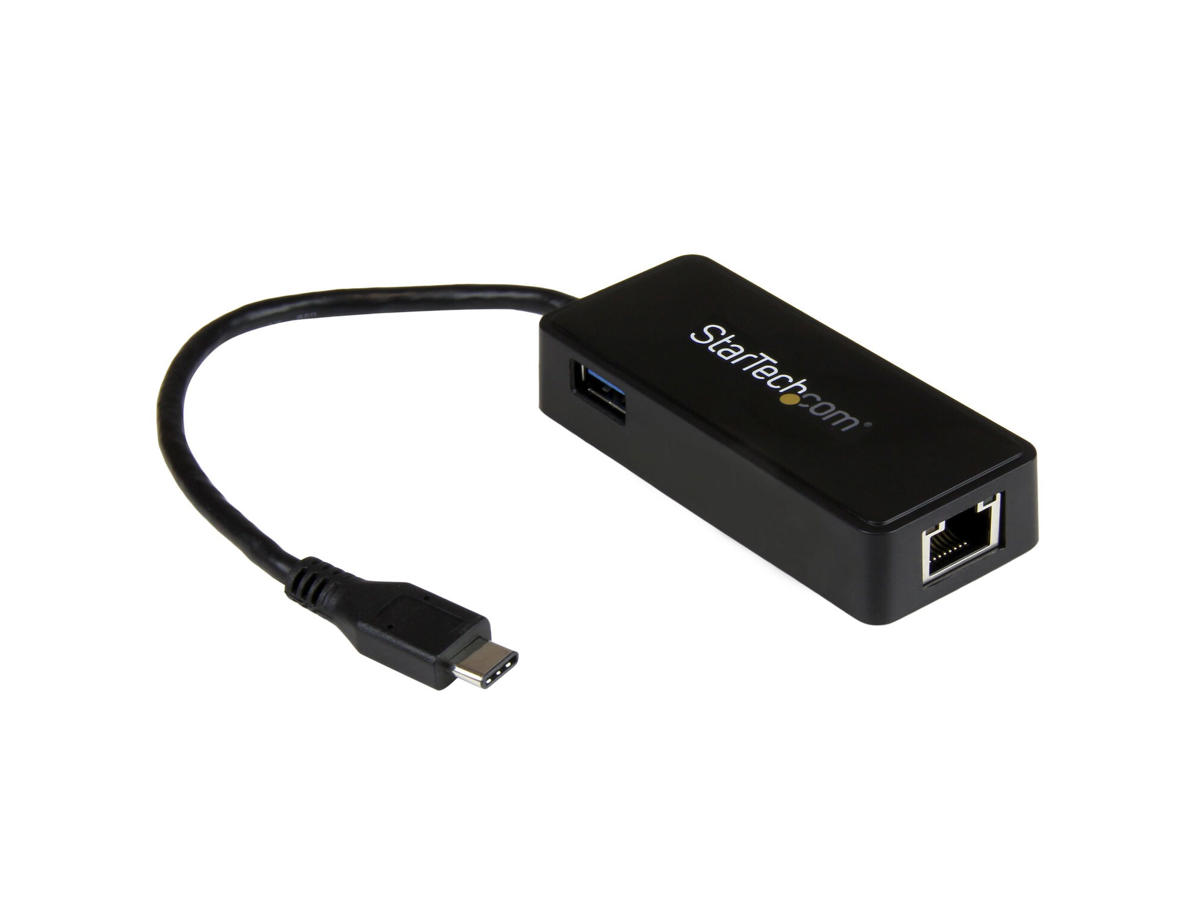
Use the USB Type-C port on your laptop to add a Gigabit Ethernet port and a USB 3.1 Gen 1 (type-A) port
Now, you can easily connect to a Gigabit network through the USB-C™ or Thunderbolt™ 3 port on your laptop or desktop computer, and add connectivity for an additional USB (Type-A) peripheral device. It's a great companion for your MacBook, Chromebook Pixel™, Dell™ XPS 12, Dell Latitude 12 7000 Series 2-in-1 or other devices.
Powerful Gigabit Network Connections
The USB-C network adapter supports full Gigabit bandwidth by harnessing the performance of USB 3.1 Gen 1 (5 Gbps). You can quickly access very large files over the network at Gigabit speed.
Native Driver Support Makes Installation Easy
Get up and running quickly. Simply plug the adapter into the USB Type-C™ port on your laptop and connect to your network. The network adapter chipset provides native driver support in Chrome OS™ and Windows® 8.1, and supports Mac OSX (10.10) with driver installation.
Trouble-Free Connections Through USB-Type-C
The USB-C connector is smaller and easier to use than previous USB connectors. It’s a reversible plug so you can connect to your devices with either side facing up, without frustration or the risk of port damage.
With a compact design, this USB-C network adapter is as portable as your laptop, perfect for ultra-portable devices that have a USB-C port, such as the MacBook and Chromebook Pixel™. The network adapter is bus-powered which makes it easy to connect when you’re on the go.
Additional Connectivity With an Extra USB 3.1 Port
Some computers with USB Type-C only offer one port for external connectivity. This Ethernet adapter features a built-in USB Type-A port, giving you the freedom to attach an additional peripheral device, such as a USB mouse.
Enhance Productivity and Device Management with the StarTech.com Connectivity Tools Application
Developed to improve performance and security, StarTech.com Connectivity Tools is the only software suite on the market that works with a wide range of IT connectivity accessories. The software suite includes:
•
Mac Address Pass-Through Utility : To improve network security.
•
Wi-Fi Auto Switch Utility : Enabling users to quickly access faster network speeds via wired LAN.
For more information and to download the StarTech.com Connectivity Tools application, please visit: www.StarTech.com/Connectivity-Tools
The US1GC301AU is backed by a StarTech.com 2-year warranty and free lifetime technical support.
The StarTech.com Advantage -
Porte & Grænseflader Forbindelsesteknologi Ledningsført Værtsgrænseflade USB Grænseflade Ethernet Ethernet LAN-porte (RJ-45) 1 Antal USB 3.2 Gen 1 (3.1 Gen 1) Type-A hub porte 1 USB version 3.2 Gen 2 (3.1 Gen 2) USB pass-through Ja Netværk Maksimal dataoverførselshastighed 5000 Mbit/s Netværksstandarder IEEE 802.1Q, IEEE 802.3, IEEE 802.3ab, IEEE 802.3az, IEEE 802.3u Ethernet LAN Ja Ethernet LAN-datahastigheder 10,100,1000 Mbit/s Kabelteknologi 10/100/1000BaseT(X) Wake-on-LAN klar Ja Auto MDIX IEEE Ja Fuld duplex Ja Jumbo Frames support Ja Jumbo rammer 4000 VLAN mærkning Ja Design Intern Ingen Produktfarve Sort Chipsæt ASIX - AX88179, VIA/VLI - VL812 LED-indikatorer Aktivitet, Link Systemkrav Understøttede Windows-operativsystemer Windows 10, Windows 10 Education, Windows 10 Education x64, Windows 10 Enterprise, Windows 10 Enterprise x64, Windows 10 Home, Windows 10 Home x64, Windows 10 IOT Core, Windows 10 Pro, Windows 10 Pro x64, Windows 10 x64, Windows 11, Windows 11 x64, Windows 7, Windows 7 Enterprise, Windows 7 Enterprise x64, Windows 7 Home Basic, Windows 7 Home Basic x64, Windows 7 Home Premium, Windows 7 Home Premium x64, Windows 7 Professional, Windows 7 Professional x64, Windows 7 Starter, Windows 7 Starter x64, Windows 7 Ultimate, Windows 7 Ultimate x64, Windows 7 x64, Windows 8, Windows 8 Enterprise, Windows 8 Enterprise x64, Windows 8 Pro, Windows 8 Pro x64, Windows 8 x64, Windows 8.1, Windows 8.1 Enterprise, Windows 8.1 Enterprise x64, Windows 8.1 Pro, Windows 8.1 Pro x64, Windows 8.1 x64, Windows Vista Business, Windows Vista Business x64, Windows Vista Enterprise, Windows Vista Enterprise x64, Windows Vista Home Basic, Windows Vista Home Basic x64, Windows Vista Home Premium, Windows Vista Home Premium x64, Windows Vista Ultimate, Windows Vista Ultimate x64, Windows XP Home, Windows XP Home x64, Windows XP Professional, Windows XP Professional x64 Understøttede Mac-operativsystemer Mac OS X 10.10 Yosemite, Mac OS X 10.11 El Capitan, Mac OS X 10.6 Snow Leopard, Mac OS X 10.7 Lion, Mac OS X 10.8 Mountain Lion, Mac OS X 10.9 Mavericks, Mac OS X 11.0 Big Sur, Mac OS X 13.0 Ventura Understøttede Linux-operativsystemer Ja Understøttede operativsystemer til servere Windows Server 2003, Windows Server 2003 x64, Windows Server 2008 R2, Windows Server 2012 Driftsbetingelser Driftstemperatur (T-T) 0 - 50 °C Opbevaringstemperatur (T-T) -10 - 60 °C Relativ luftfugtighed ved drift (H-H) 5 - 80% Vægt & størrelser Bredde 35 mm Dybde 275 mm Højde 17 mm Vægt 38 g Emballeringsdata Pakkebredde 143 mm Pakkedybde 170 mm Pakkehøjde 30 mm Pakkevægt 92 g Tekniske detaljer Compliance-certifikater CE, RoHS Logistik data Harmoniseret systemkode (HS) 85176990 Hovedkassens bredde (udvendigt) 307 mm Hovedkassens længde (udvendigt) 586 mm Hovedkassen højde (udvendigt) 360 mm Produkter pr. hovedkasse (udvendigt) 80 stk Andre funktioner Husmateriale Plast Bæredygtighed Overholdelse af bæredygtighed Ja